
Do you ever feel uneasy about the safety of your smartphone? If so, you’re not alone. With the rise of cybercrime, ensuring your smartphone’s security has never been more critical. In this guide, we’ll explore how to keep your smartphone safe from hackers with practical tips that anyone can follow.
10. What to Do if Your Phone is Hacked
If you suspect that your smartphone has been hacked, it’s crucial to act quickly. The sooner you take action, the better your chances of minimizing the damage.
Steps to Take After a Hack
- Change Your Passwords: Immediately update all your passwords to prevent further unauthorized access.
- Disconnect from the Internet: Turn off Wi-Fi and mobile data to stop any ongoing hacking attempts.
- Run a Security Scan: Use a trusted security app to scan your device for malware or other threats.
- Contact Your Service Provider: Inform your mobile service provider about the hack and follow their advice.
9. Regularly Back Up Your Data

Regular backups ensure that you don’t lose your data if your phone is hacked or lost. By storing your data in the cloud or on an external device, you can quickly restore it if needed.
The Importance of Backups
Backing up your data not only protects you from hackers but also from other risks like hardware failures or accidental deletions.
8. Encrypt Your Data
Encryption is a powerful tool that can keep your data safe, even if your phone falls into the wrong hands. When your data is encrypted, it’s converted into a code that can only be unlocked with the correct key.
How to Encrypt Your Smartphone
Most modern smartphones have built-in encryption features. You can enable encryption through your phone’s security settings, ensuring that your data remains secure.
7. Avoid Phishing Scams
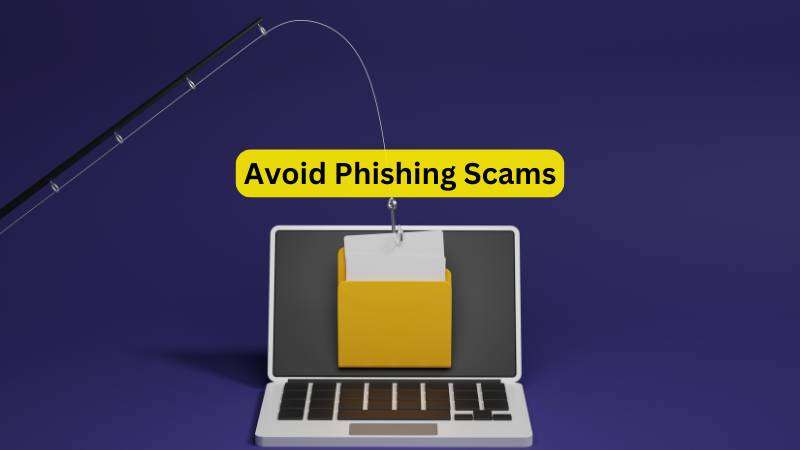
Phishing scams are one of the most common ways hackers gain access to personal information. These scams often involve fake emails or messages that appear to be from legitimate sources.
Spotting a Phishing Scam
Always double-check the sender’s email address or phone number before clicking on any links. Be cautious of messages that ask for sensitive information or create a sense of urgency.
6. Install Trusted Security Apps
There are numerous security apps available that can help protect your smartphone from hackers. These apps can scan for malware, block malicious websites, and alert you to potential threats.
Choosing the Right Security App
Not all security apps are created equal. Stick to well-known and reputable apps from trusted developers. Check reviews and ratings before downloading.
5. Be Wary of Public Wi-Fi
Public Wi-Fi networks are convenient, but they can also be a hotspot for hackers. These networks are often unsecured, making it easier for cybercriminals to intercept your data.
How to Stay Safe on Public Wi-Fi
Whenever possible, avoid using public Wi-Fi for sensitive activities like online banking. If you must use it, consider using a Virtual Private Network (VPN) to encrypt your connection.
4. Enable Two-Factor Authentication
Two-factor authentication (2FA) adds an extra layer of security by requiring a second form of verification in addition to your password. Even if a hacker manages to steal your password, they won’t be able to access your phone without the second factor.
How Does 2FA Work?
After entering your password, you’ll receive a code on a trusted device or via SMS. This code must be entered to gain access to your account, making it much harder for hackers to break in.
3. Use Strong Passwords and Biometrics
Your password is the first line of defense against hackers. However, weak passwords can be easily cracked. To ensure your phone’s security, use strong, unique passwords and enable biometric authentication like fingerprints or facial recognition.
Creating a Strong Password
A strong password should be a mix of uppercase and lowercase letters, numbers, and special characters. Avoid using easily guessable information like birthdays or common words.
2. Update Your Operating System
One of the simplest yet most effective ways to protect your smartphone is by keeping its operating system up to date. Software updates often include patches for security vulnerabilities that hackers might exploit.
Why Are Updates Important?
When developers discover a security flaw, they release updates to fix these issues. By neglecting to update your phone, you leave it exposed to known vulnerabilities.
1. Understanding the Risks
How to keep your smartphone safe from hackers, it’s crucial to understand the risks involved. Hackers are continually evolving their tactics, and their targets often include everyday users like you and me. From identity theft to financial fraud, the consequences of a hacked smartphone can be devastating.
What Do Hackers Want?
Hackers are after your data. Personal information, financial details, and even your location can be valuable to cybercriminals. By compromising your smartphone, they can gain access to your social media accounts, banking apps, and more.
Keeping your smartphone safe from hackers requires vigilance and proactive measures. By following these 10 powerful strategies, you can significantly reduce the risk of cyber threats and ensure that your personal information remains secure. Remember, your smartphone is more than just a device—it’s a gateway to your digital life. Protect it well.
FAQs
1. How often should I update my smartphone’s operating system?
It’s best to update your smartphone’s operating system as soon as a new update is available. These updates often include security patches that protect your device from vulnerabilities.
2. Can I use the same password for multiple accounts?
Using the same password for multiple accounts is not recommended. If one account is compromised, hackers can gain access to all your accounts with the same password.
3. Is it safe to use public Wi-Fi if I have a security app installed?
While security apps can provide additional protection, it’s still risky to use public Wi-Fi for sensitive activities. A VPN is the best option for securing your connection on public networks.
4. What should I do if I accidentally click on a phishing link?
If you click on a phishing link, immediately disconnect from the internet and run a security scan on your device. Change your passwords and monitor your accounts for any suspicious activity.
5. Can encryption slow down my smartphone?
Encryption can have a slight impact on performance, but the security benefits far outweigh the minor decrease in speed. Most modern smartphones are optimized to handle encryption efficiently.